
Home / How booking works
How booking works
You set the price. Nearby washers respond. You choose. Here is each step in detail.
1. Choose your cars and place
Add your car once with its make, model and engine size. The app puts it in a category and shows the estimated price. You can add several cars to one booking.
Pick a saved address or drop a pin on the map, then choose Now or Schedule for a later time slot. The app checks that the address is in an area we serve.
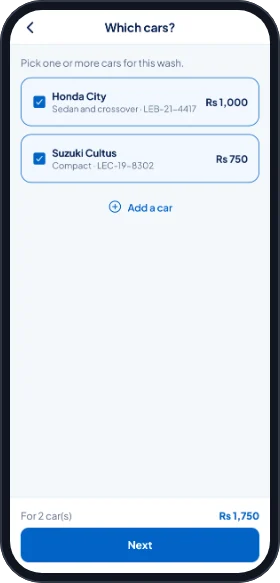
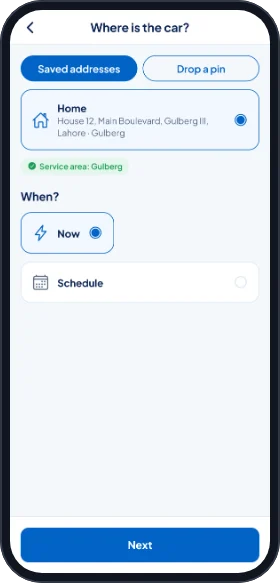
2. Set your price and how to pay
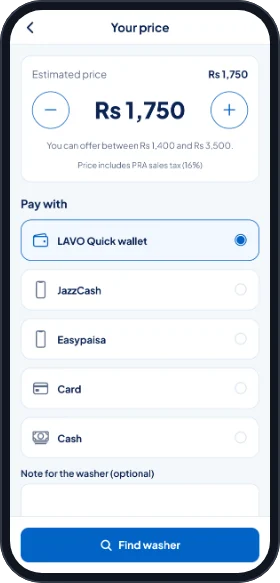
The app shows the estimate for your cars. Keep it, or use the plus and minus buttons to offer your own price within the range shown on screen.
Choose how to pay: your LAVO Quick wallet, JazzCash, Easypaisa, a card, or cash to the washer. Then tap Find washer.
3. Washers respond, you choose
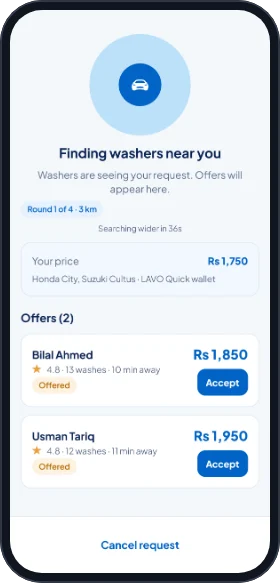
Your request goes to the nearest available washers. Each one can accept your price or send one offer of their own, within limits. Offers appear live with the washer's name, rating, number of washes, distance and price.
Tap Accept on the offer you want. The first offer you accept books the wash, and the other washers are told the request is closed. Only the washer you choose sees your exact address.
If nobody accepts
After about a minute without a booking, the request goes to more washers in a wider area, and the app suggests raising your price. If still nobody accepts, our team looks for a washer for you, and you can cancel at any time. If no washer is found, the request closes and you pay nothing.
4. Pay, track and wash
Wallet: the amount is held from your wallet when you accept the offer. JazzCash, Easypaisa or card: you pay on the payment provider's page right after accepting. Cash: you pay the washer when the wash is done.
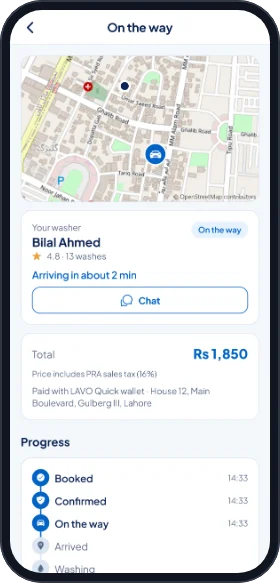
Follow the washer on the map with a live arrival time. Chat or call them inside the app; phone numbers stay hidden on both sides. If the washer is running late, the app tells you and you can keep waiting or cancel free.
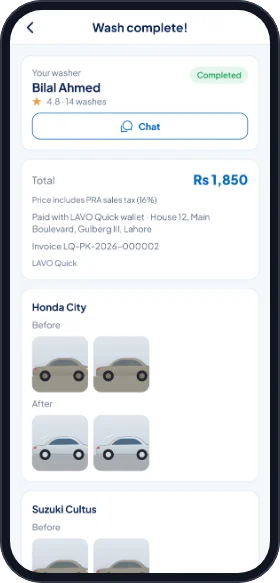
The washer photographs every car before starting and after finishing. You see the photos in the app.
5. Done: rate and get your receipt
When the wash is complete you see the total, the payment method, the invoice number and the photos. Rate the washer from one to five stars and add a comment. If something is wrong, tap Report a problem.
Cashback, when an offer is running, is added to your LAVO Credit after the booking is complete.
Book your first wash
Download the LAVO Quick app, add your car and drop a pin. One app for customers and washers.
Launching soon on iOS and Android.
- Prices from Rs 500, tax included
- You set the price, nearby washers respond
- Before and after photos of every car
- Phone numbers stay hidden on both sides